The advice shows up on every phone-habits list: switch your screen to grayscale. Strip the color out, the theory goes, and your apps stop looking so appetizing. It sounds too simple to work. A 2026 trial actually tested it, and the answer is a careful yes.
What the trial found
Researchers ran a crossover trial with first-year medical students, published in Frontiers in Digital Health. Sixty-one enrolled, and 51 finished. Each student spent a week with their phone in full color and a week in grayscale, so everyone served as their own comparison.
In the grayscale week, daily screen time dropped by about 28 minutes, roughly an 8% cut. That held up as statistically significant across the groups. The only change was the color.
Why would that work? Color helps hold your attention. Red notification badges, the exact blue of a like, the saturated thumbnails on a video feed. All of it is tuned to catch your eye. In grayscale, a phone looks less inviting while staying useful.
The limits, stated plainly
Twenty-eight minutes is modest. If you're at six hours a day, grayscale on its own gets you to about five and a half. That half-hour can help, but it does not transform six hours of phone use.
Two caveats matter. First, this was 51 medical students, a small and specific group. The exact number won't transfer perfectly to everyone. Second, some participants reported that their screen time moved to other devices. The pull found a laptop or tablet with the color still on.
Grayscale reduces how appealing a screen looks. It does not change how available the app is. If the feed is still one tap away, a duller version can still catch you in a slow moment, and a brighter version on another screen can catch you the rest of the time.
How to use it well
Grayscale works best as part of a wider plan. Pair it with changes that also reduce availability.
Turn it on and leave it on for a couple of weeks before you judge it. The trial ran a full week per phase for a reason. A day isn't a fair test.
Set a shortcut so you can flip color back on when you genuinely need it, like editing a photo or checking a map. On iPhone that lives under Accessibility shortcuts.
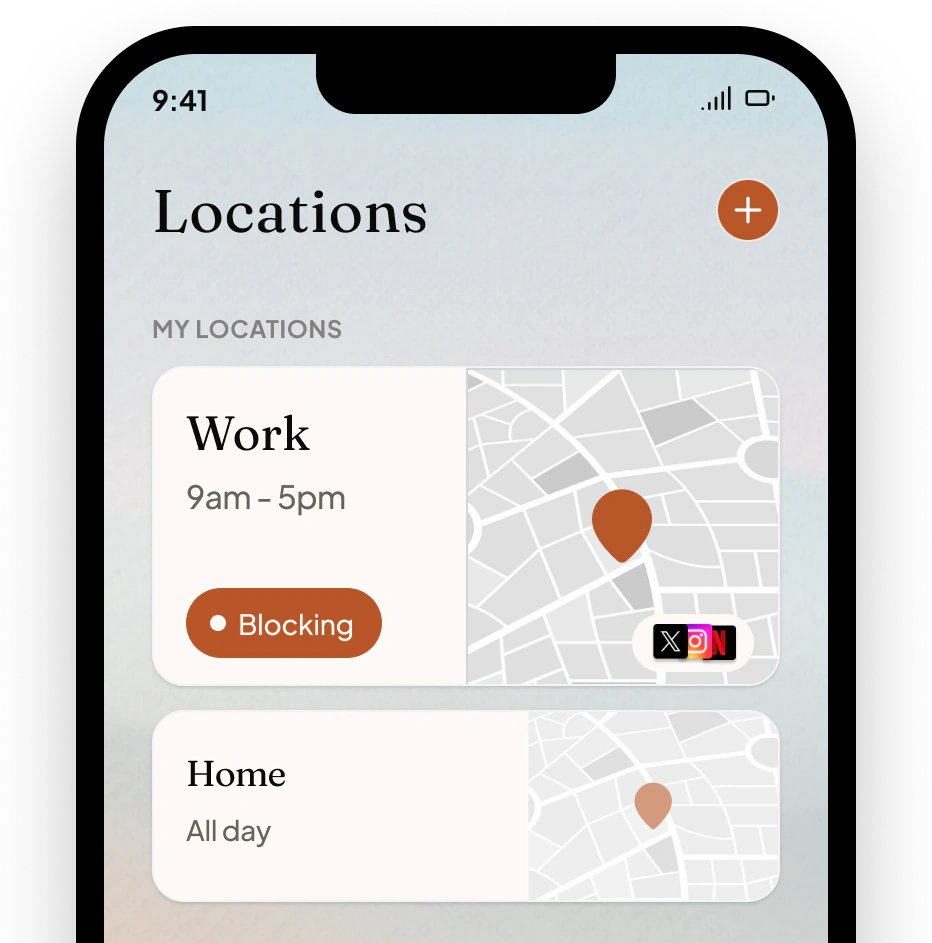
Pair it with a limit on the apps that pull hardest. Grayscale makes them less tempting to open. A block makes them unavailable. Together they cover both appeal and availability.
enough. handles availability: you pick the apps and the times or places you want them gone, and they're blocked when you get there. Grayscale dulls the phone; blocking removes the specific pull. The trial's weak spot, use leaking to other moments and devices, is the gap a block closes.
So does grayscale cut screen time? Yes, a bit, and the science backs it. Treat it as a useful half-hour, and put something firmer behind it for the rest.